See posts side by side
Read your X Following feed in a tiled grid that adapts to your browser window. Make use of a wide screen to see more posts at once.
 PostsDash
Get the extension
PostsDash
Get the extension
A clearer way to follow X
PostsDash arranges posts into a responsive grid, keeps the feed moving automatically, and gives media, links, and conversations room to breathe.
Free browser extension for Chrome, Firefox, Edge, and Opera.
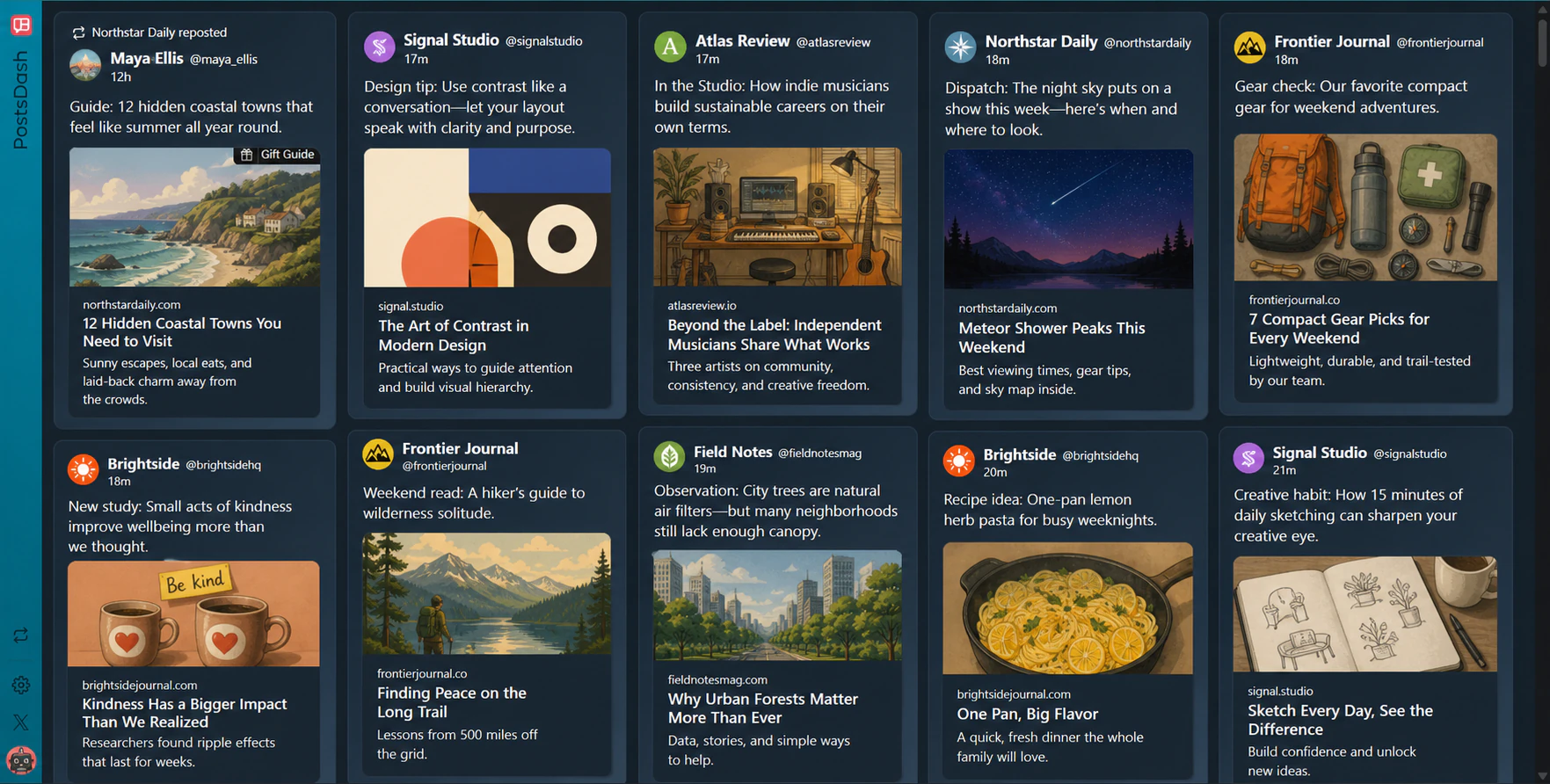
Inside PostsDash
Read your X Following feed in a tiled grid that adapts to your browser window. Make use of a wide screen to see more posts at once.
PostsDash checks for new posts automatically while the dashboard is active. You can also refresh the feed from the sidebar.
Open a post for a closer look or browse its images in the media viewer. Text, links, and media stay together in each post.
How it works
Choose your browser below and add PostsDash from its extension store.
Use your existing X account on x.com to access your Following feed.
Select PostsDash in the X sidebar to open your dashboard. You can enable automatic launch in PostsDash settings.
Read the guide: How to view your X Following feed in a grid →
Before you install
Yes. PostsDash is a free browser extension.
PostsDash is available for Chrome, Firefox, Edge, and Opera. Choose your browser in the install section below.
Yes. PostsDash works with your signed-in X session to display posts from your Following feed.
PostsDash runs on x.com in a browser with the extension installed. It does not change the X mobile app.
Install PostsDash


